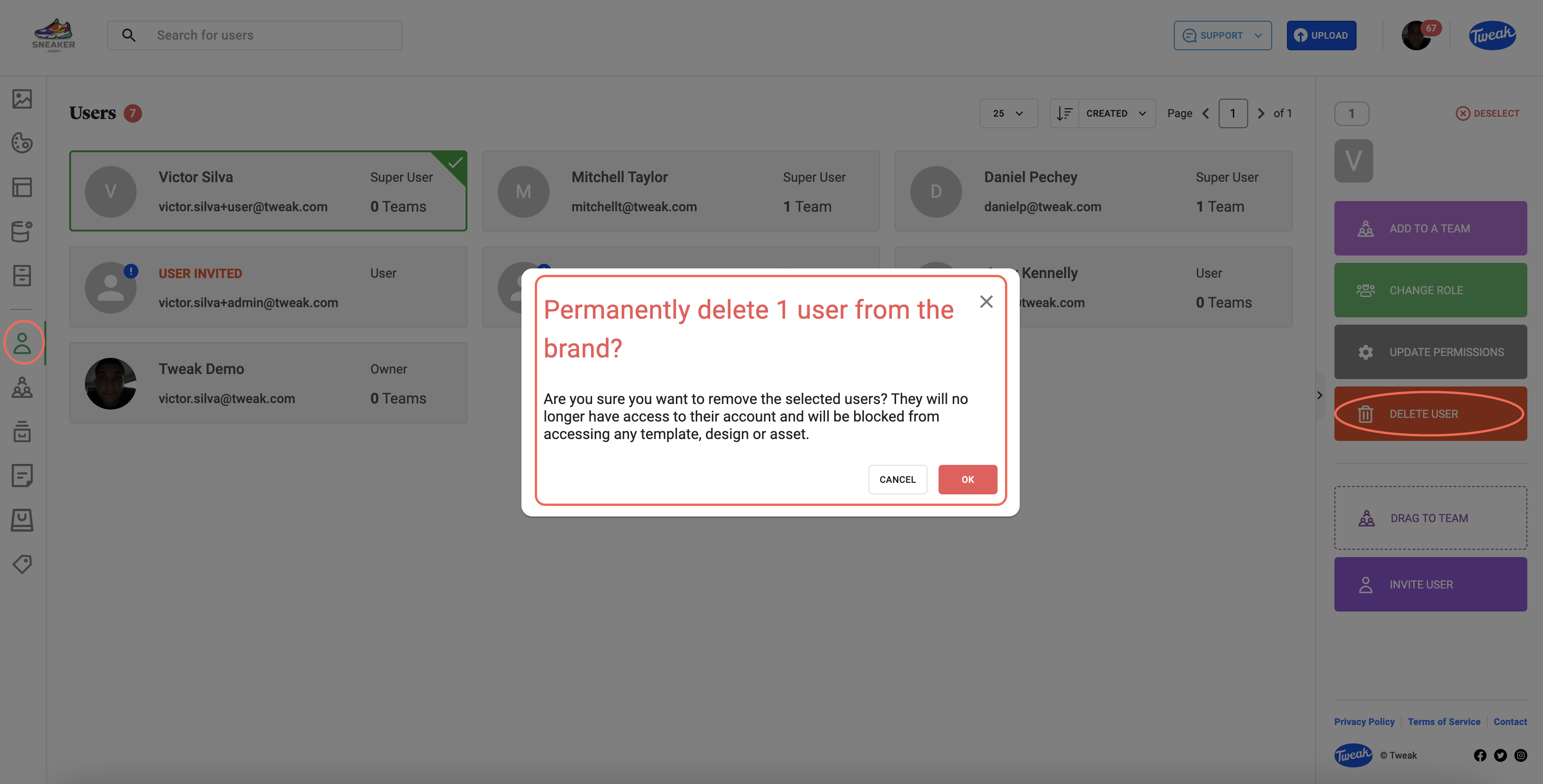
1- Click on the (Users icon) tab on the left panel
2- All Users will be displayed, showing their email address, their role and the number of teams they have already been invited to.
3- Double click on a User and a number of options appear in the right hand panel. Add To a Team, Change Role, Update Permissions, Delete User.
4- Click on Delete User on the right hand panel. A warning screen appears, warning that the User will no longer have access to Tweak. Once confirmed, they are permanently deleted.