Tweak ensures that your product information stays up to date by pulling product data from your Shopify Store approximately every hour.
The changes made to product information on Tweak are not automatically synced. Product images and data changed in Tweak and saved cause the product to become unsynced and will change on your Shopify Store when these unsynced products are manually Synced to Shopify. Only Admins and Managers of the Tweak Account are permitted to Sync products to Shopify.
Sync icon appear on products indicating their Status: Green - Synced, Yellow - Syncing and Red - Unsynced.



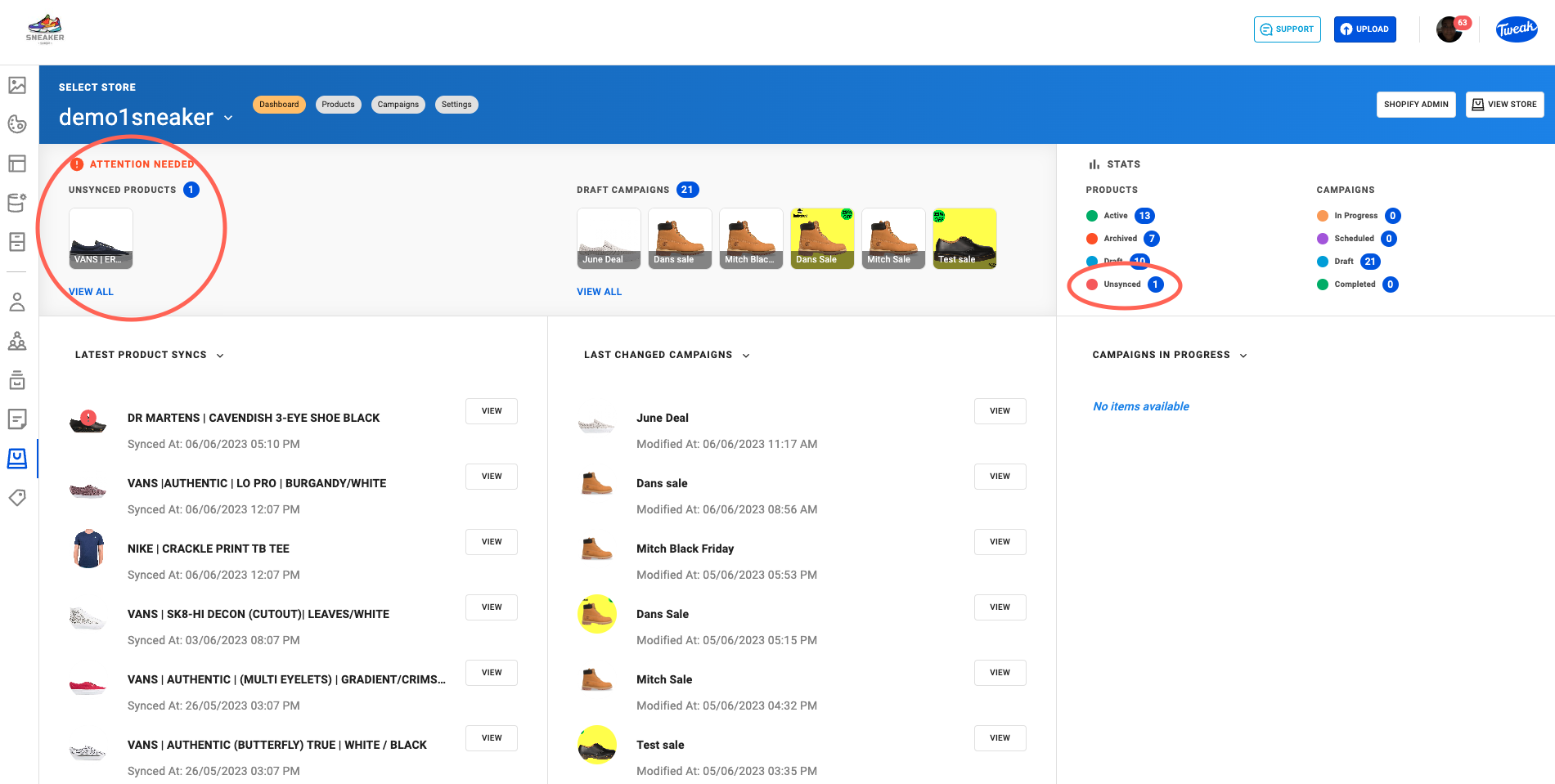
On the Shopify Dashboard unsynced products are highlighted on the top left with Attention Needed.
The Stats panel on the right-hand side Highlights the number of Unsynced Products.
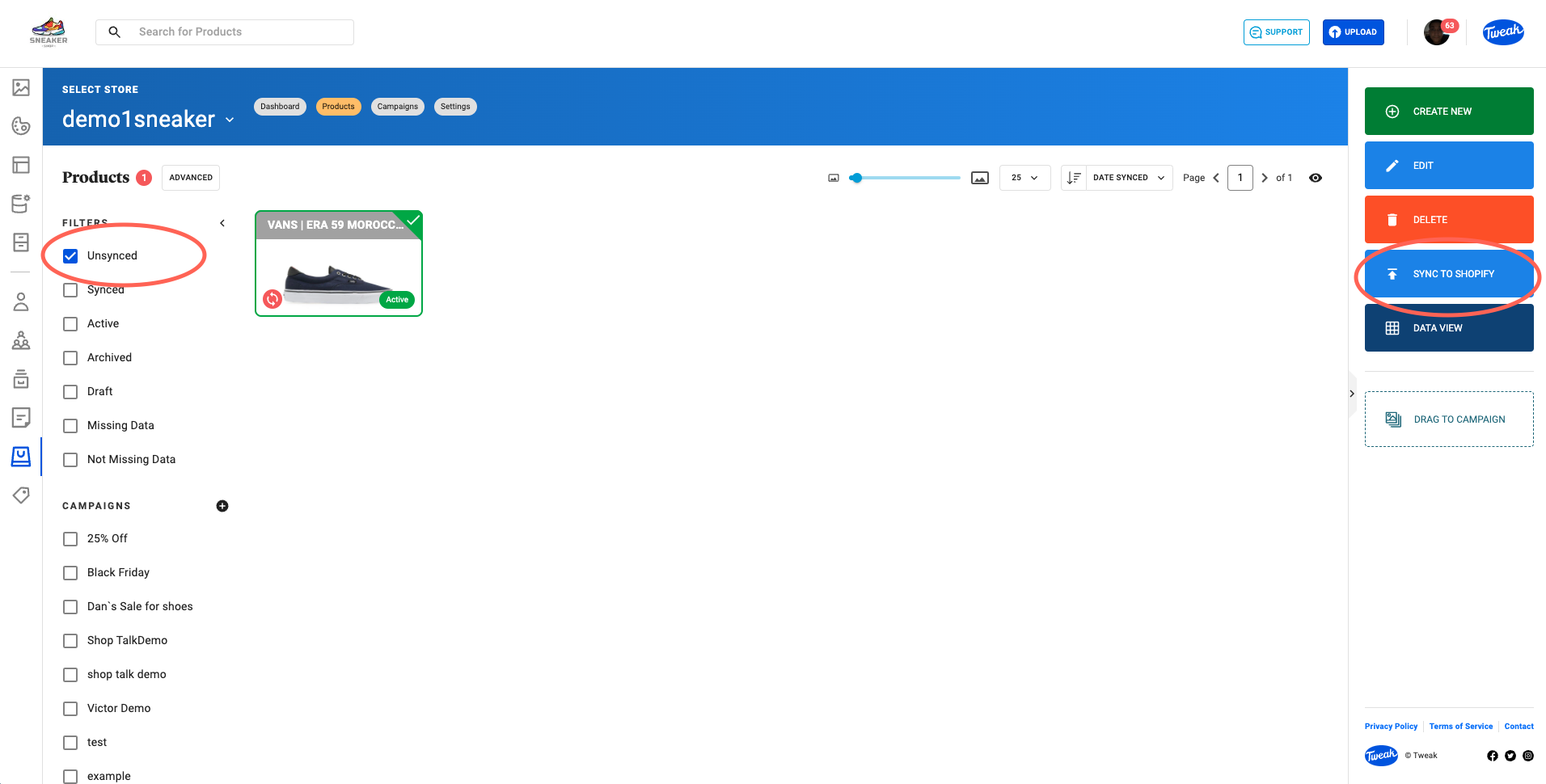
On the Shopify Products page, Unsynced products can be found by selecting Unsynced on the quick filter panel on the left side.
On the Product Page whether using the Card View or Data View, sync products by clicking on the Sync to Shopify button on the right side panel. Multiple Products can be synced at the same time.
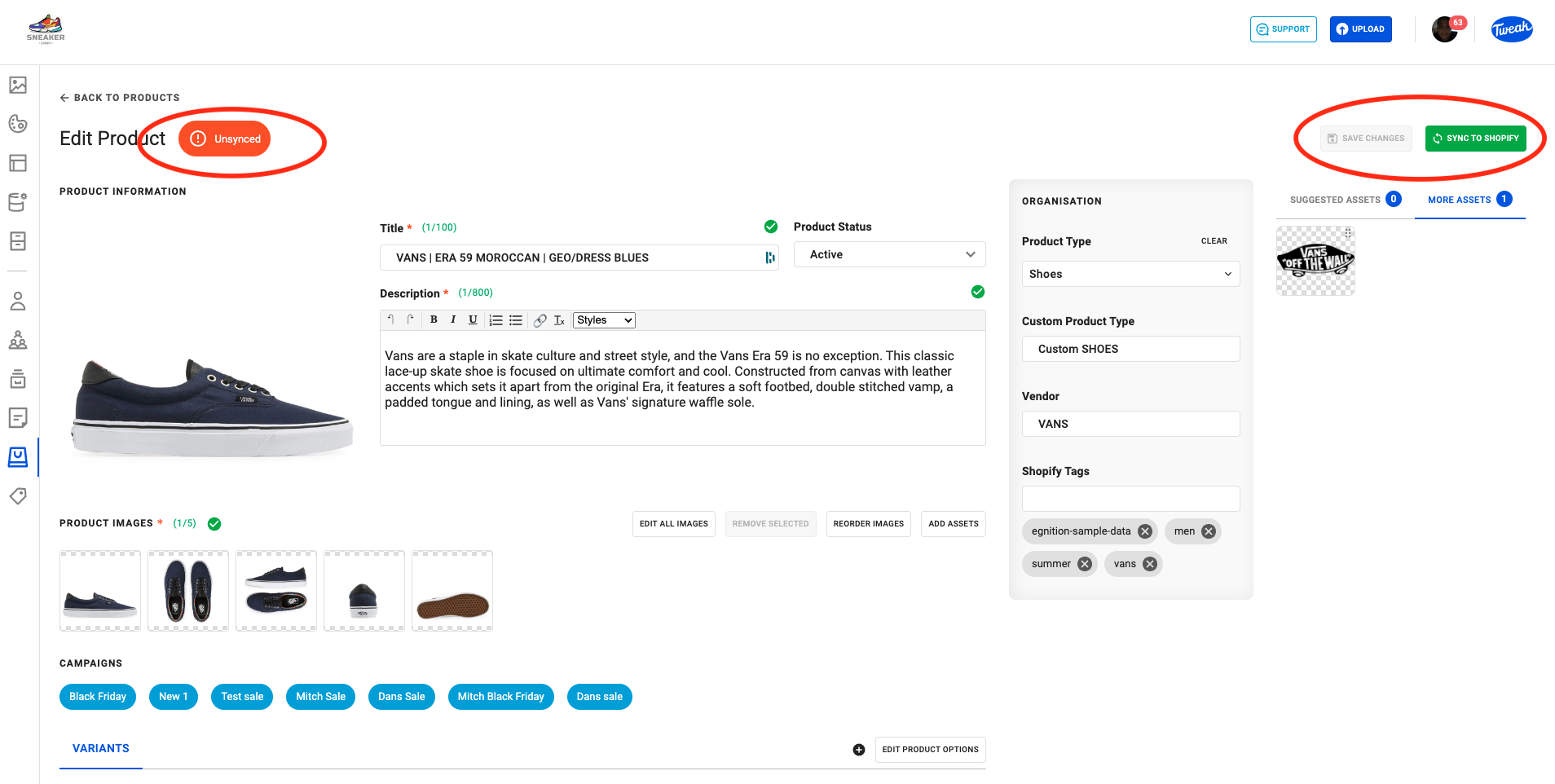
On the Edit Product page, a label on the left top side highlights the Sync Status of the Product.
On the top right, the button Save Changes saves your changes causing your product to be Unsynced. The button Sync to Shopify will save changes to the Shopify Store.
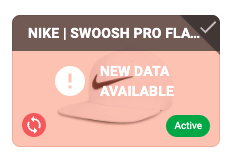
When products are Unsynced in Tweak and the product Information is updated on Shopify, the product is in a Conflict state. It’s necessary to decide whether the Tweak or Shopify product data is correct. The conflict state is indicated by the alert ! New Data Available.
1. To choose the correct data, double-click on the product.
2. Select Tweak Data or Shopify Data.