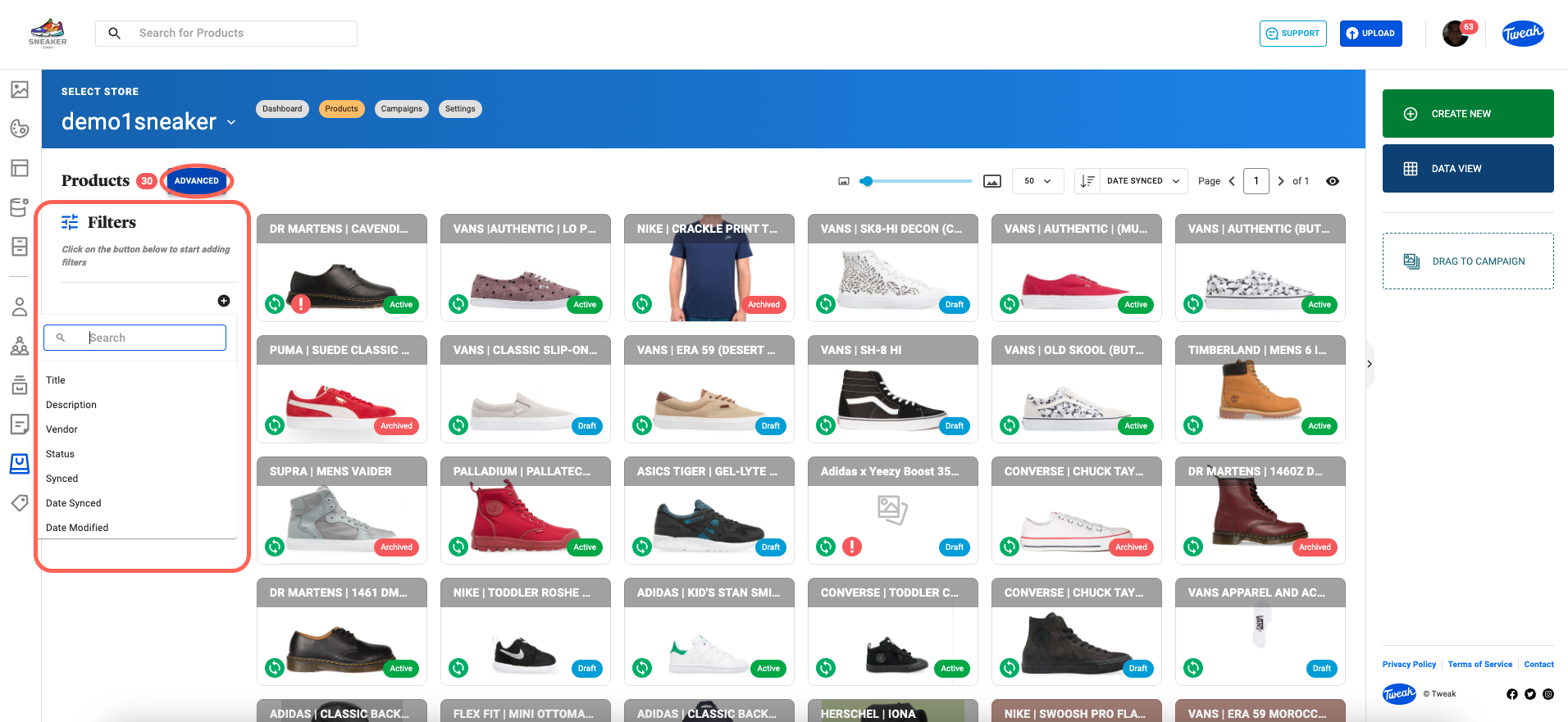
Here, we explore different methods to search and find products. We’ll explore the Dashboard, followed by the Product Page and cover various search and filter functionalities.
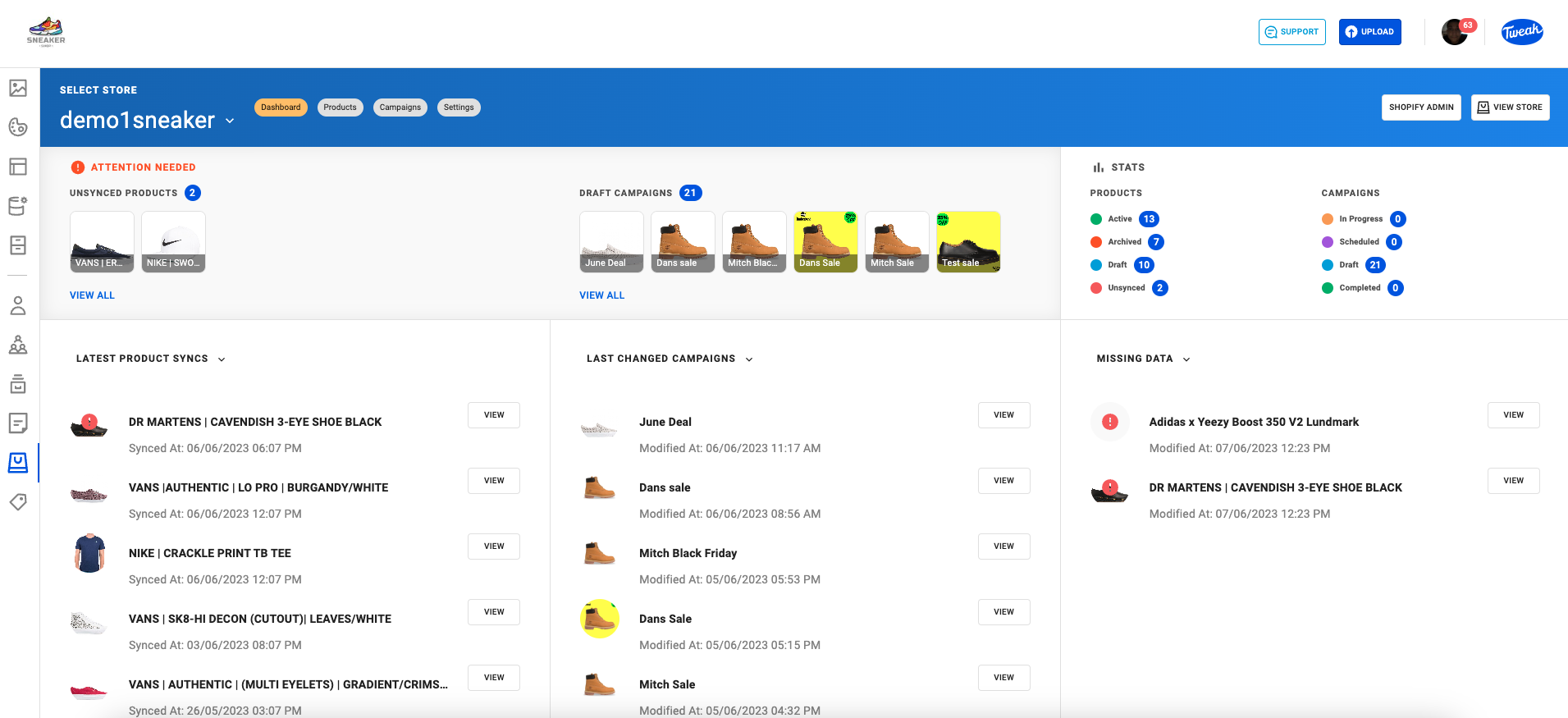
The Dashboard page serves as a central hub for navigating Merchandiser Studio, where you'll find an overview of your account and important metrics.
The Product Page is where you'll find your products.
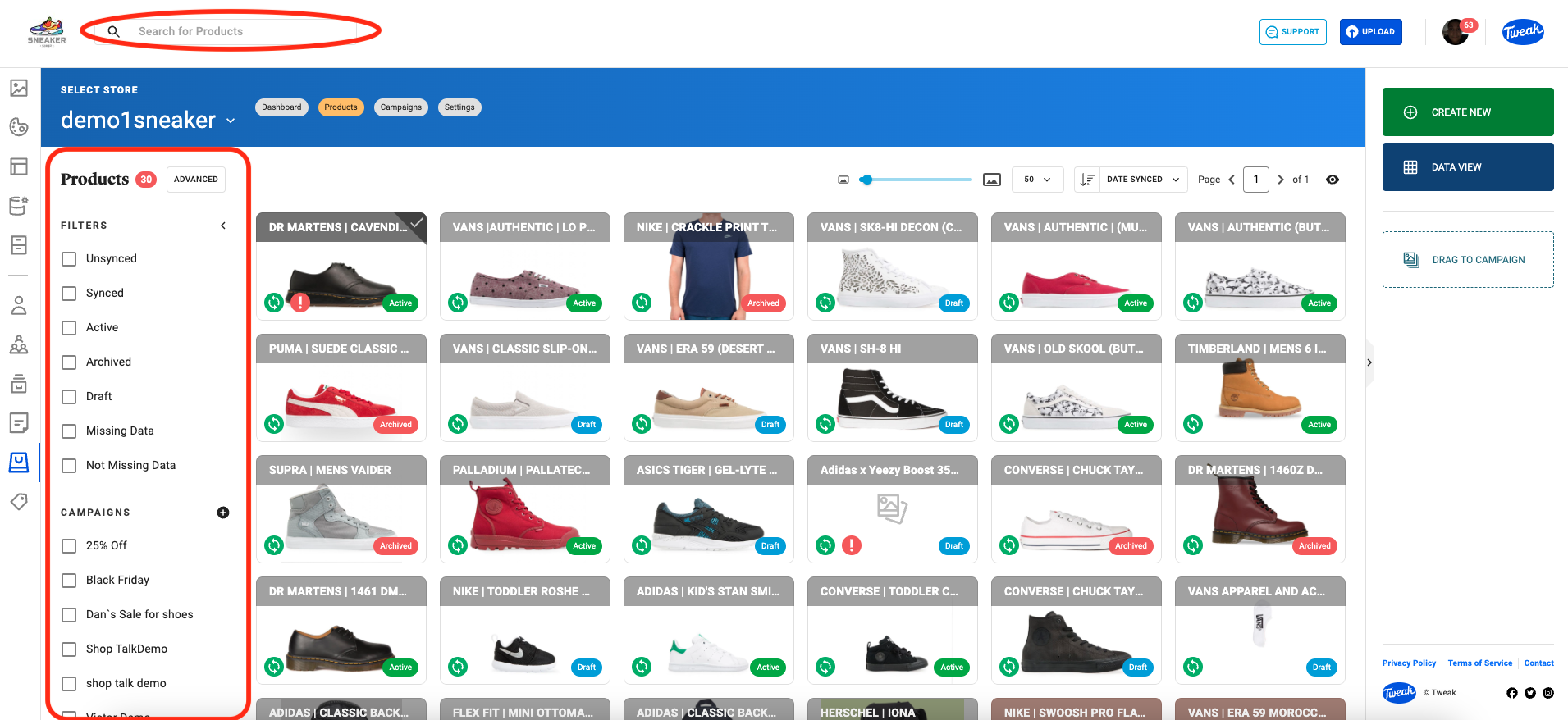
If you have a specific product in mind you can find this product by the text search option that allows you to enter keywords into the search bar on the product page. Relevant results based on your search query will be displayed.
On the left panel of the Products page, filters are available for Product statuses: Unsynced, Synced, Active, Archived, Draft, Missing Data and Not Missing Data. In this panel, products can be found by selecting specific Campaigns, Shopify Tags, Product Type and Shopify Collections.
Advanced search feature enables you to refine your product search further. By clicking on the Advanced Search option, filter using specific criteria such as Title, Description, Vendor, Status Synced, Date Synced, Date Modified, Product Category, Product Type, Missing Data, Campaigns, Shopify Tags and Shopify Collections.