
This feature enables merchants to set standards for product data and images and to have visibility of products which don’t conform. If data (i.e. specific character counts for Title) does not meet the standard, syncing of the product to the Shopify store can be prevented.
This preference will define if products that don’t meet the Mandatory Product Data set can be Synced to Shopify or not. When this preference is toggled off, products that don't reach the criteria won’t be synced with Shopify.
Title, Description, Shopify Tags and Product Images can have minimum and maximum information counter defined, Product Category, Product Type, Variant Images, Price, Compare at Price, Cost, SKU, Barcode, Weight and HS Code are also options to be defined as mandatory.
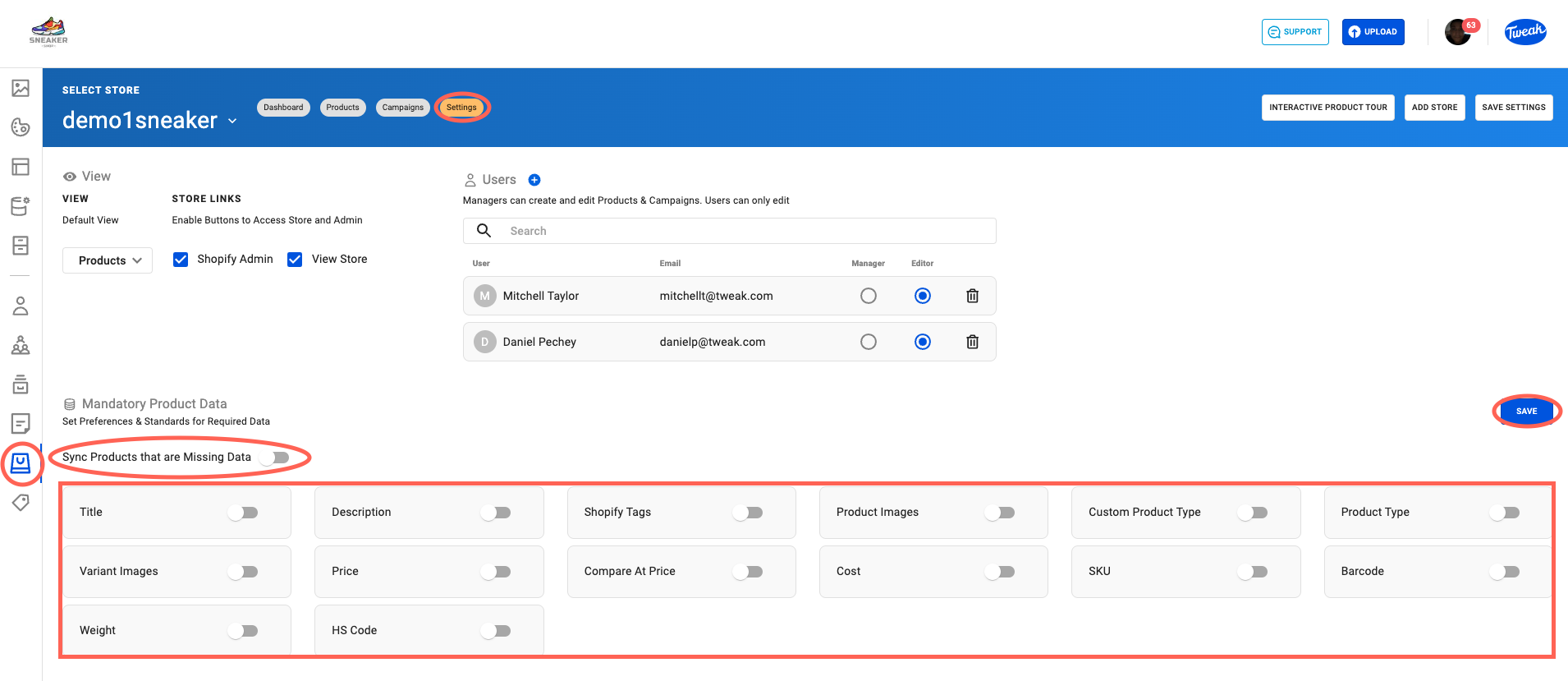
1. Click on the Bag icon on the left panel.
2. Click on Settings at the top of the page.
3. On the settings page scroll down to see the Mandatory Product Data. When you’ve made your selection, click Save.
Products that don't meet the Mandatory Product Data standard will have a Missing Data flag and can be found in several places.
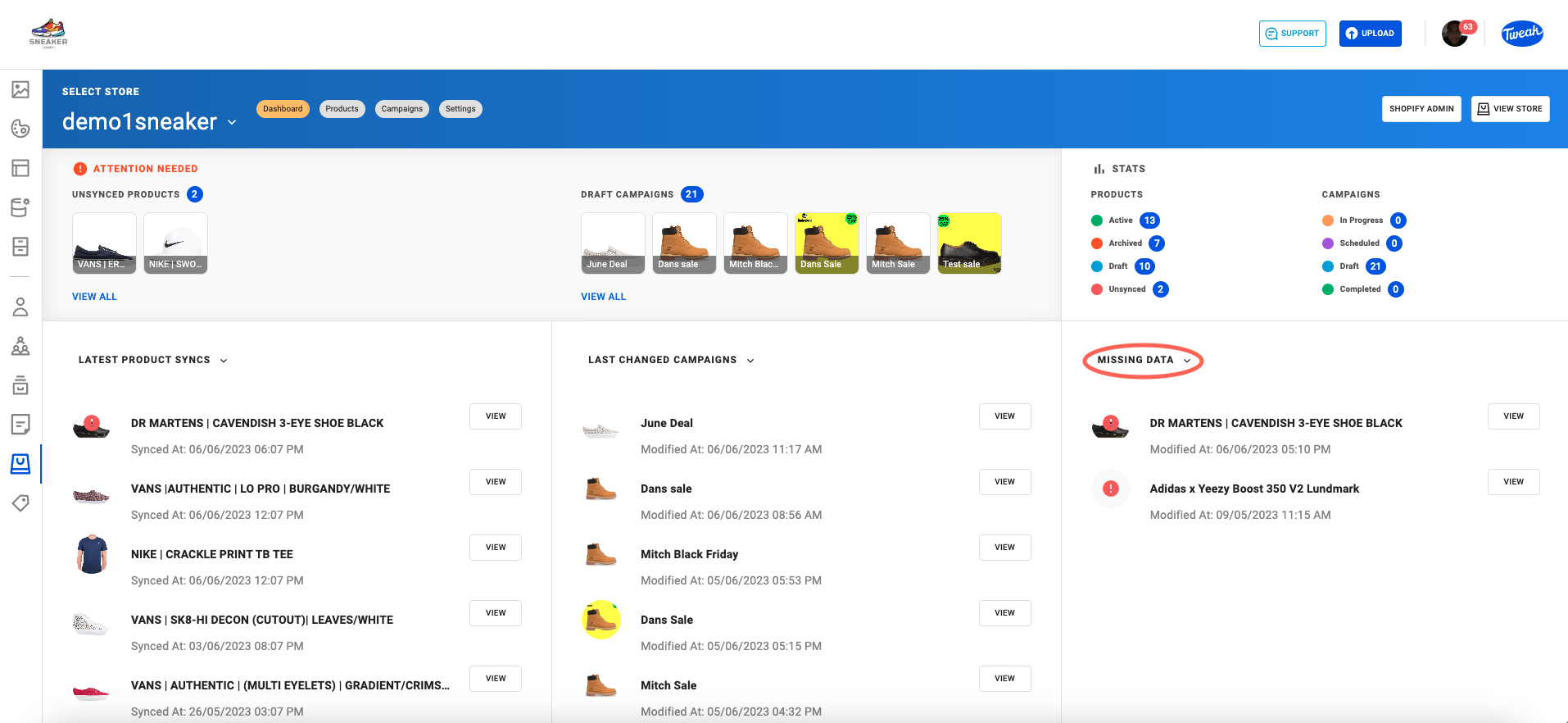
On the Shopify Dashboard page, you can find missing data products by selecting the filter called Missing Data.
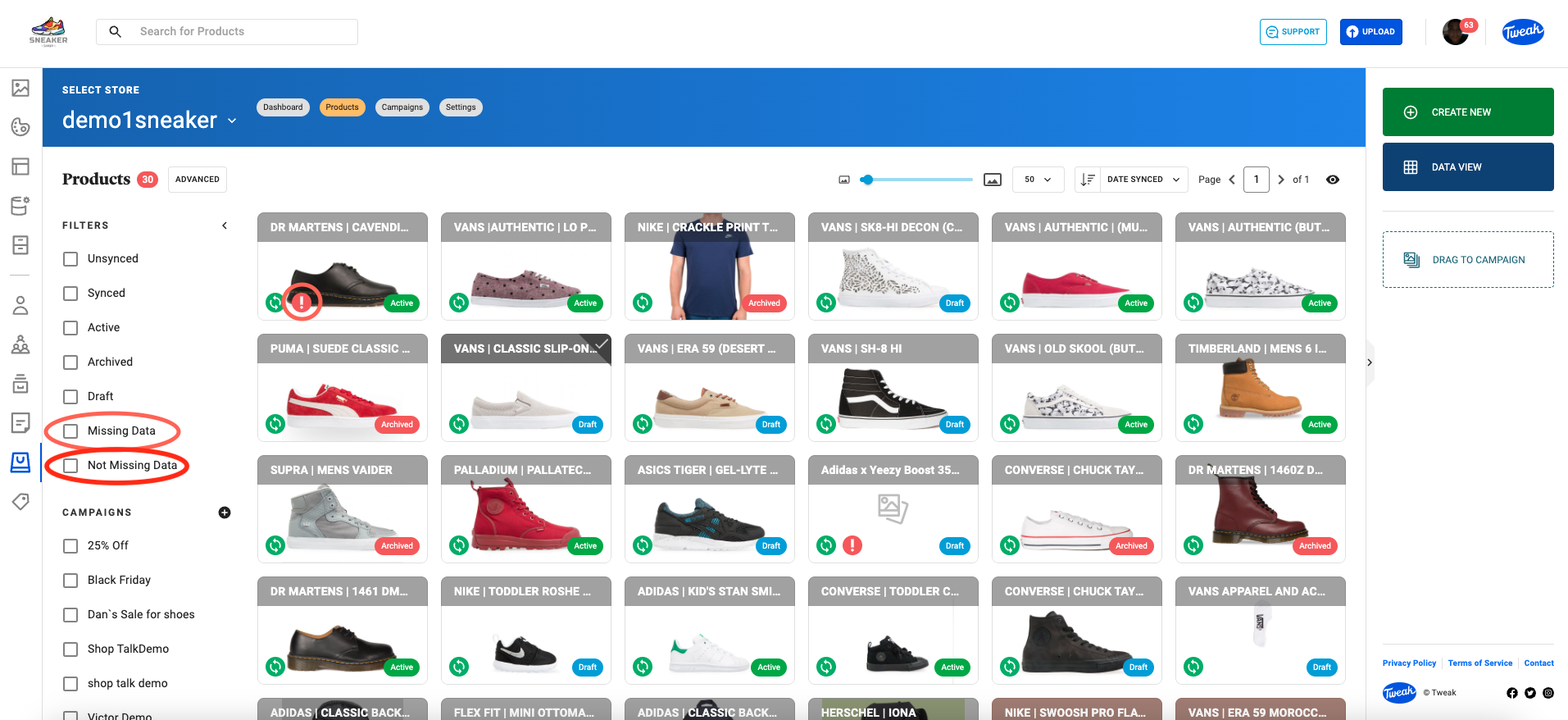
On the Shopify Product page, by clicking on the filter Missing Data.
On the Card View missing data products will have an Exclamation Icon on the product card if they don't meet the Mandatory Product Data standard.
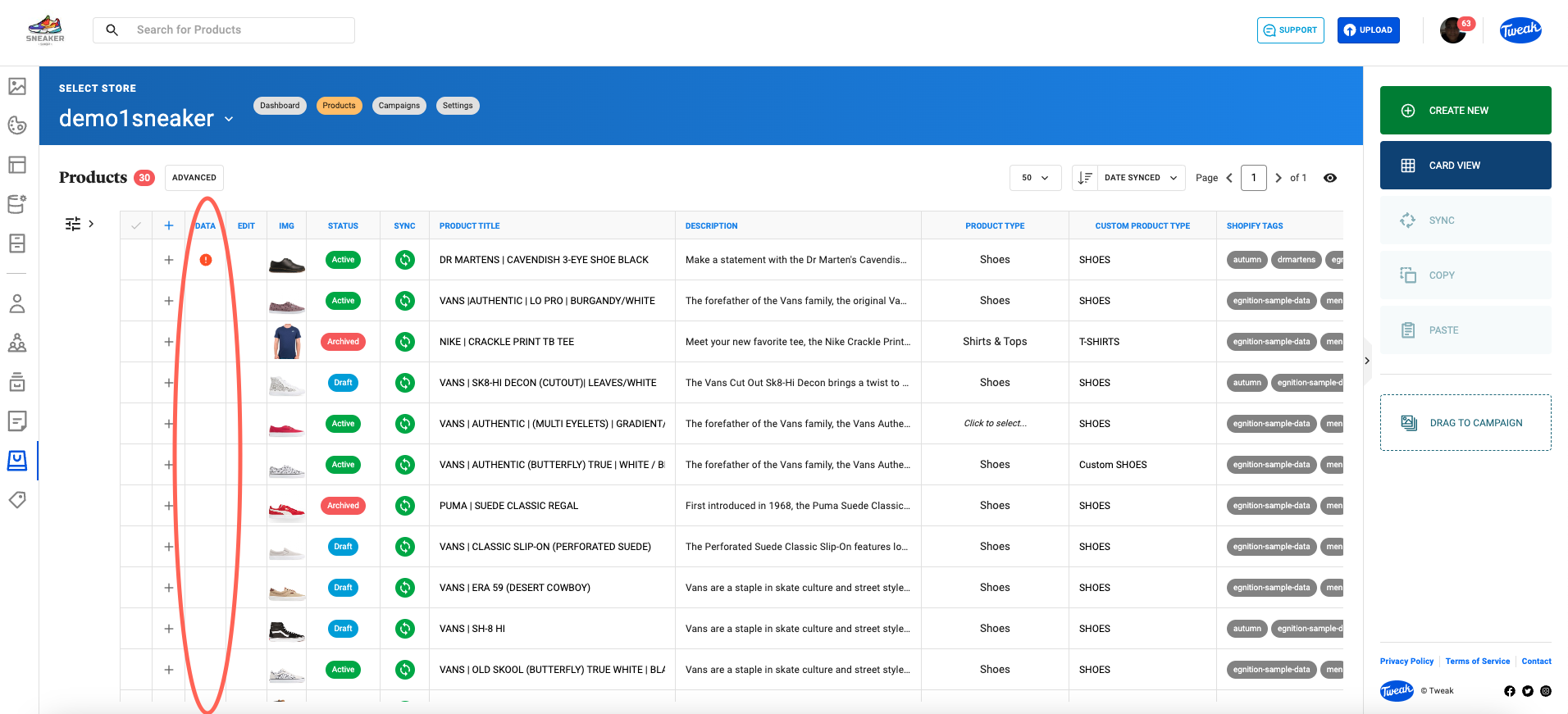
On the Data View missing data products will have an Exclamation Icon on the Data column if the Mandatory Product Data standard is not met.
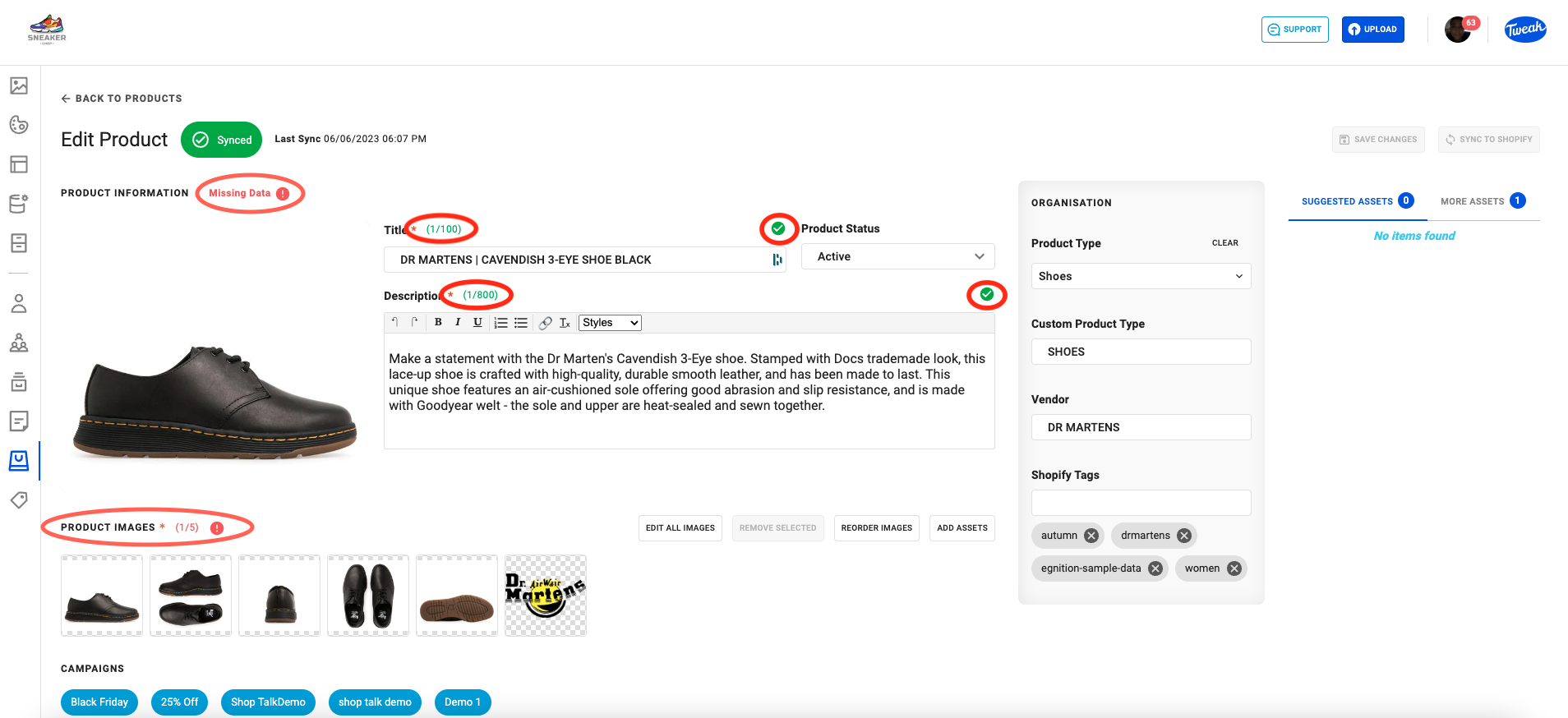
On the Product page, if not reaching the Mandatory Product Data, it will be flagged beside Product Information showing the Missing Data alert.
If Mandatory Metadata standards are met, a green check appears beside the Product Status on the Product Page.
When Variants are Missing Data they will be marked in Red with a flag saying Missing Required Data.








