Explaining Template Elements (Objects, Image and Text)
Objects
The Object elements are the shapes from the templates - You can change the background color and the stroke color once you select the object.
Images
The Image elements are the images that can be found on the templates.
The various options for images include:
Settings as a background.
Cropping.
Changing the background color.
Flipping the image in the opposite direction.
Adjusting the opacity.
Arranging the position i.e., moving it to the foreground or background.
Duplication & Deletion.
Text
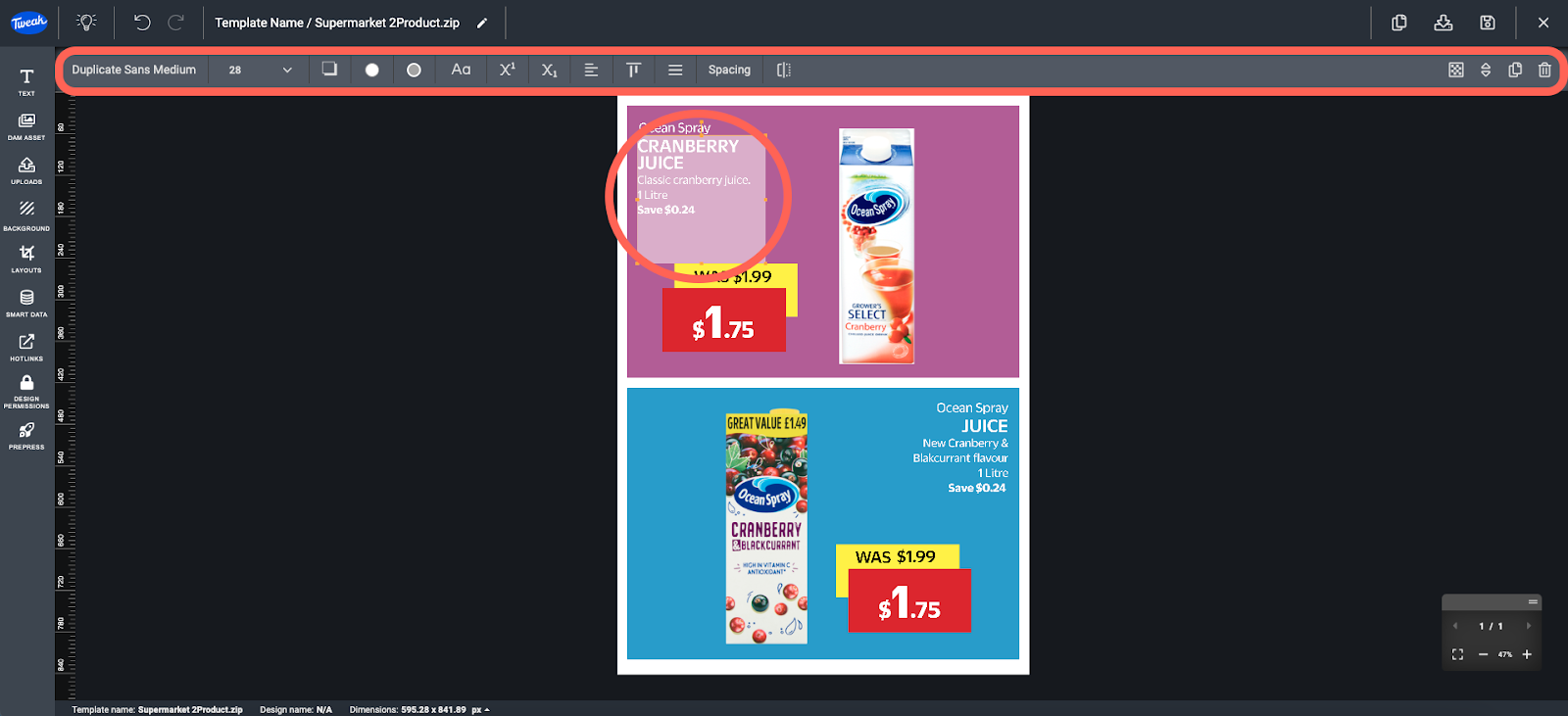
The Text elements are the texts that can be found on the templates. These can be header, subheader, or body text that are present on the template - The various edit options for text include:
Changing the Font.
Changing the Font size.
Adding a drop shadow.
Changing the text, background and stroke.
Making it a Superscript or Subscript.
Adjusting the alignment and spacing.
Flipping to the opposite direction.
Adjusting the opacity.
Duplication & Deletion.
Arranging the position i.e., moving it to the foreground or background.