
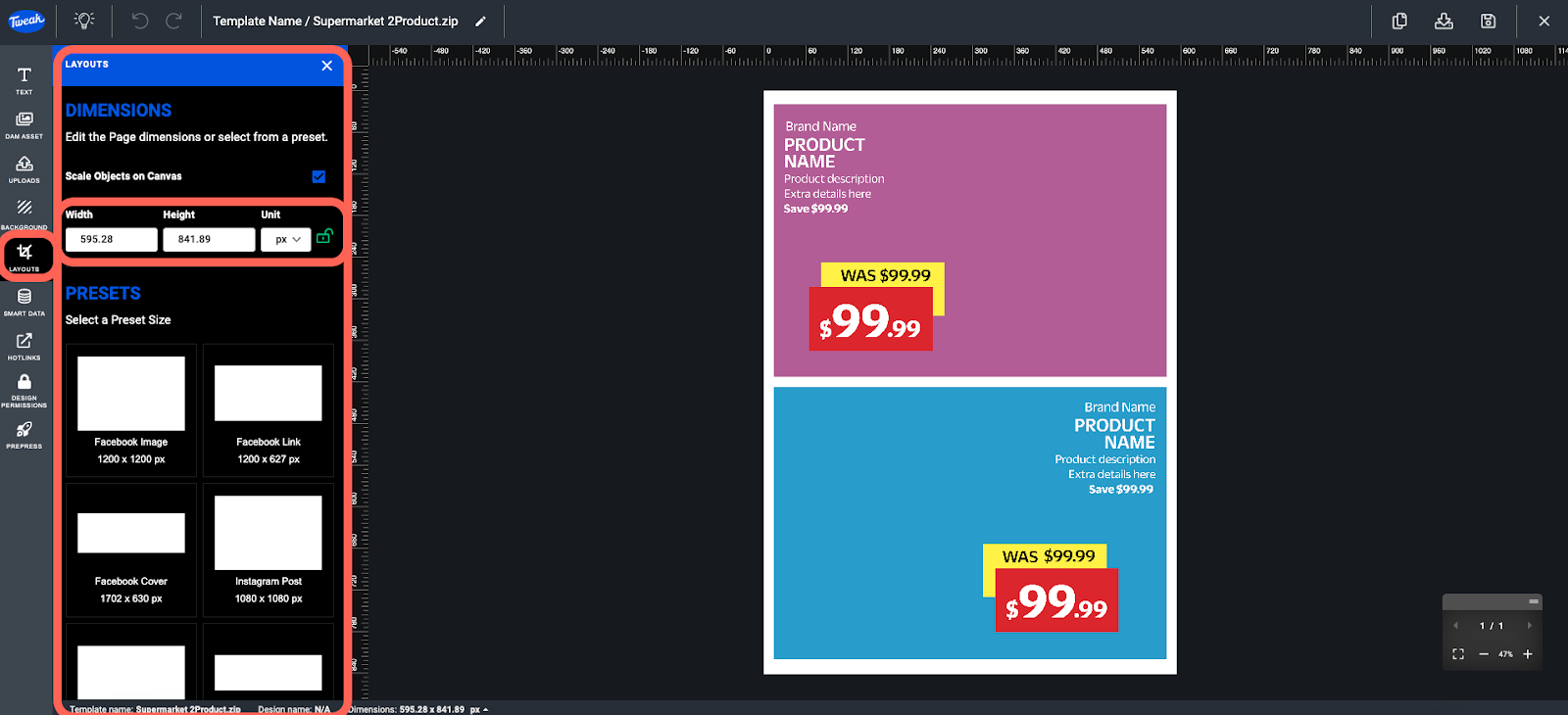
The LAYOUTS allow you to set the dimensions of your page, you can use the default settings or edit them to suit your needs. You can adjust the width, height and unit in which the dimensions are measured.
Alternatively you can use the available built in PRESETS for your page dimensions.
Open the Pages Manager using the pages icon on the top right corner of the navigation bar.
Once opened, you can:
1- Add a blank page with the plus icon.
2- Import another template as a page/s using the file import icon.
3- Duplicate a page with the duplicate icon inside the pages manager.
4- You can also reorder by dragging the pages 6 dots icon inside the Page Manager.








