
The Smart Editor is a streamlined version of the Template Editor that offers a simplified set of features for efficient template editing. It caters specifically to templates that are connected to Smart Data.
With the Smart Editor, you can easily modify Smart Data-connected templates by using the drag-and-drop functionality. This intuitive feature allows you to seamlessly update the content within the template, ensuring that it remains connected to the underlying Smart Data source.
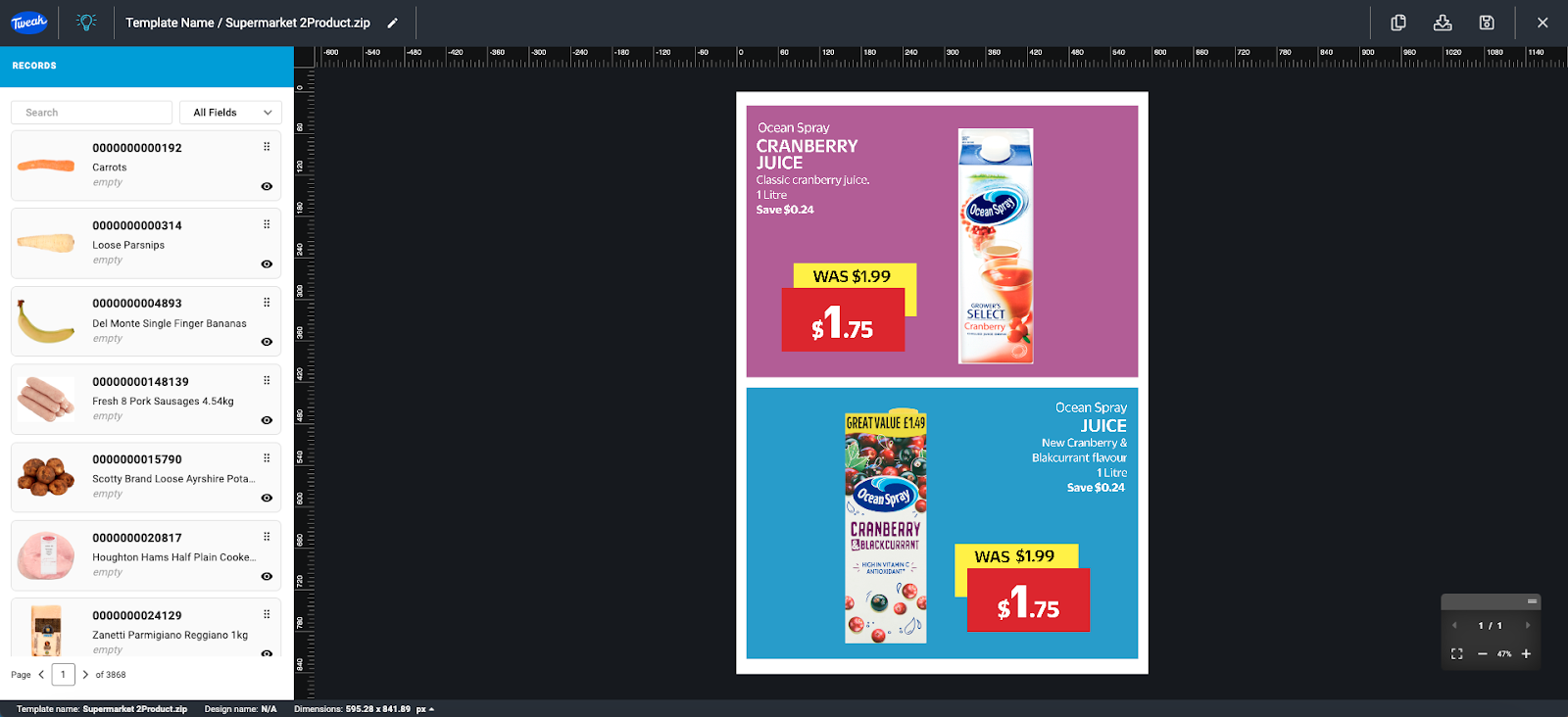
For templates that are not connected to Smart Data, the Smart Editor provides the ability to export the template. This enables you to generate high-quality output files, such as PDFs or images, based on the template design.

Additionally, if enabled the Smart Editor offers the Page Manager feature, which allows you to manage and organize the pages within your template. You can add new pages, rearrange their order, or remove unnecessary pages, providing you with greater control over the structure of your template.







