
Smart Data Template Elements in Tweak allow for dynamic customization and content integration. By utilizing these Smart Data Template Elements, you can create personalized and data-driven templates, enhancing your content creation process.
These are the text elements that can be found on the template, when connected with Smart Data these can be replaced with other text from the Smart Data source, you can set it as Inline text which can then be edited with generic text added, or you can also set it as a Frame text.
Inline Text it’s a fully customized text that can have multiple Data Source Properties and static text.
Frame Test it’s exactly what’s on the records property selected to connect with the text box.
Fit Text to Frame it’s when you don’t want the text box to change size, in this case the fon’t size will addapt to the text length.
You can apply Conditional Rules to text elements that will perform certain actions on the text that is presented if the conditions are met.

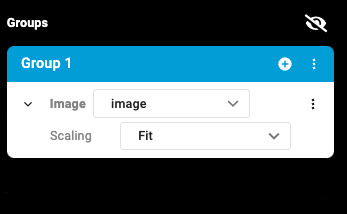
Image element are images that can be found on the template, when connected with Smart Data these can be replaced with images from the data source, and can be adjusted to fit or fill the given space.
Shapes can be elements found on templates that don’t not fall into any of the above elements, shapes can not be replaced with any data type from a data source. However, they can act as a starting point for a group that holds multiple elements.








