
The nested search is a powerful tool that enables you to effectively filter and organize your assets for quick and easy retrieval. With its hierarchical structure and dynamic tags, you can efficiently navigate through your library.
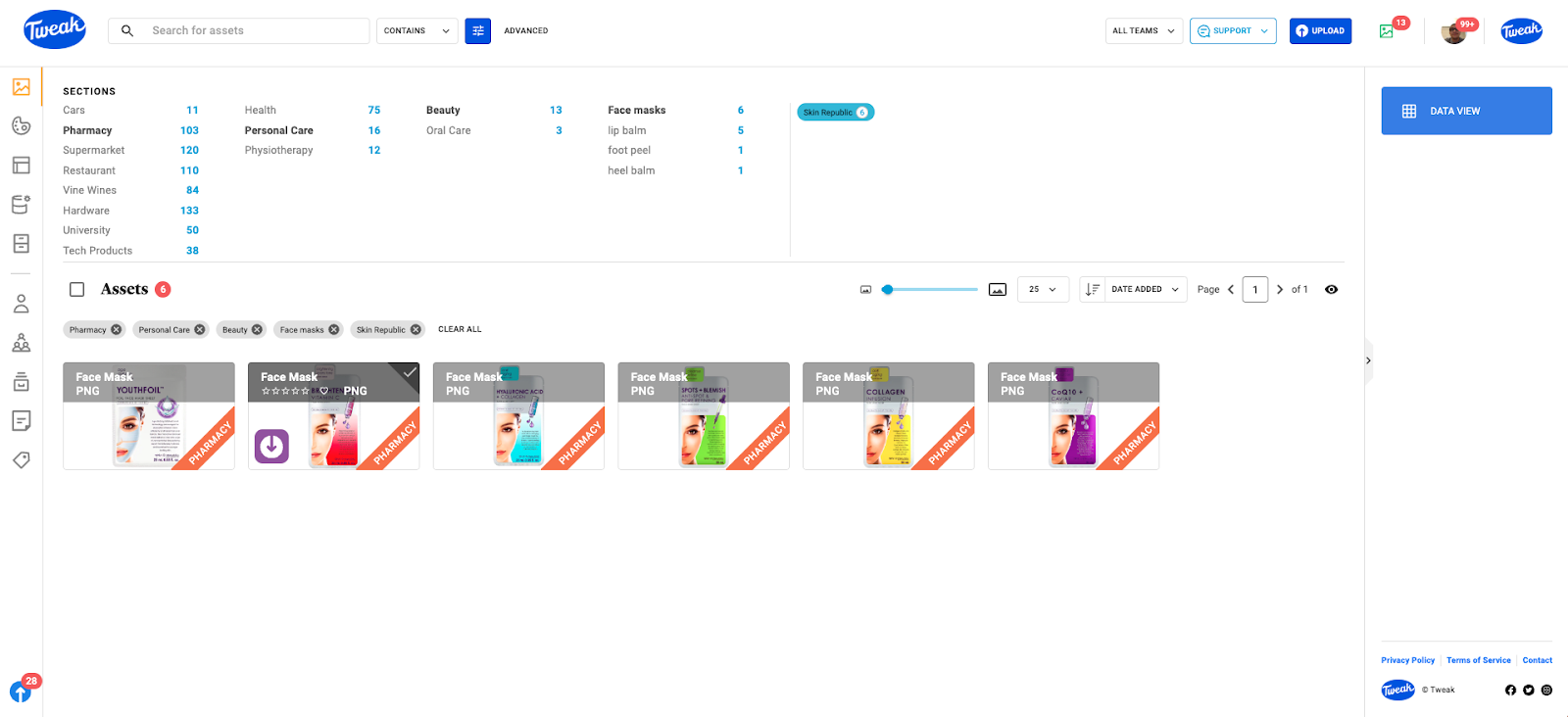
By leveraging nested search, you can easily locate and retrieve the assets you need, saving you time and effort. Whether you're searching by category, sub-category, or using dynamic tags, the hierarchical structure provides a logical and intuitive way to navigate through your asset library.
The structure of nested search revolves around Category Sections, which can be organized into up to 5 levels. Each level can further contain sub-levels, providing a flexible and customizable organization system.
Additionally, Dynamic Tag sections can be connected to any level within the category sections, expanding your search capabilities.
You have full control over the organization of your nested search. You can rearrange Category Sections, rename them and even delete them if needed. Similarly, Dynamic Tag sections can be edited, favourited, renamed or removed, allowing you to tailor the search structure to your specific needs.








