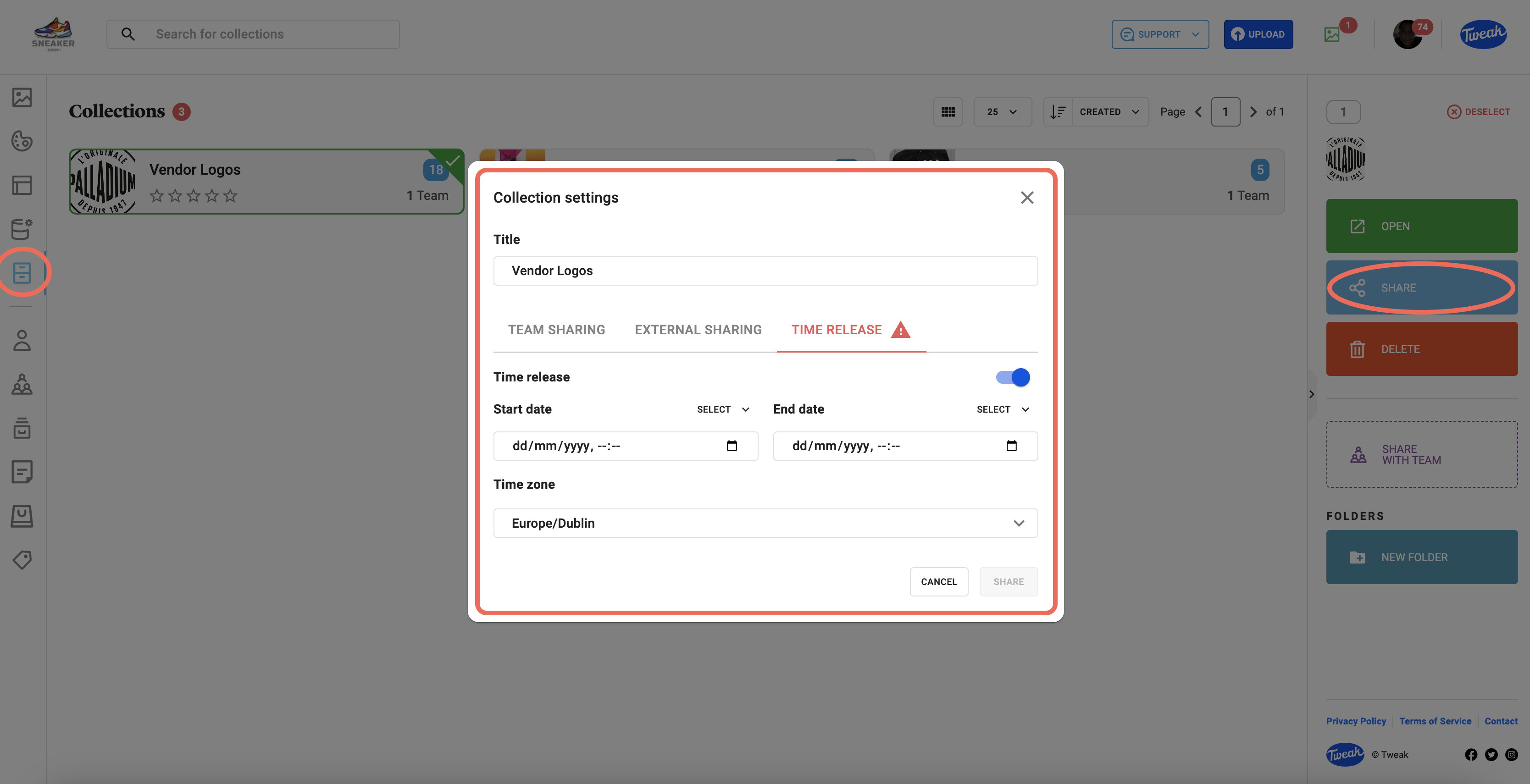
1- Click on the (Collection icon) tab on the left panel
2- You’ll be presented with all the Collections available. Double click on the Collection you wish to set time-release and expiry on.
3- Click on the (share icon) on the top right and you’ll have the option to edit. Team Sharing, External Sharing & Time Release. Click on Time Release.
4- Turn on the Time release button and select a release date and time and (optionally) an Expiry date and time and select a time zone.
5- Select Share and close the dialog box. The time release and expiry is now set.